Riverside vs Descript for Founder Podcasts (2026)
A founder podcast rarely dies from a lack of ambition. It dies in the edit. Riverside vs Descript is the fork most founder podcasters hit right there: one tool is built around capturing the conversation, the other around fixing it afterward. You record a great conversation at 9am and a customer call eats your 10am slot. By night, the raw audio looks like homework, and the tool you picked decides whether it becomes episode 12 or stays a folder full of shame.
Both platforms have grown into each other’s territory. Riverside added editing and AI clip tools. Descript added its own recording rooms. They’re both “podcast tools” now, yet they still solve different halves of the problem, and their meters are nothing alike. That part determines your real monthly bill.
I went through both companies’ pricing pages and billing docs (checked October 3, 2026), cross-checked the numbers against independent pricing teardowns, and dug into an analysis of 1,400+ verified user reviews from G2 and two other review platforms to see where people actually get burned. Here’s the pick for a lean one-person show.
Can’t I just use both?
Sort of, and that’s part of what makes this confusing. Both will happily sell you a subscription, both record rooms full of guests, and both cut clips for social. But the subscriptions meter completely different things, so pick based on which bill you can predict.
The short version before we get into detail:
- Start with Riverside if your show is guest-heavy and video-first. It records each participant locally and hands you clean separate tracks even when the Wi-Fi melts.
- Start with Descript if you’re mostly editing your own tape and you hate timelines. Deleting a sentence from the transcript deletes it from the recording. That single trick is why reviewers keep praising it.
- Neither one hosts your podcast. You’ll still need a host for the RSS feed. I compared the popular options (Transistor, Buzzsprout, RSS.com) in this separate breakdown.
What I did before writing this
Honest disclosure, because affiliate posts deserve it. I didn’t bench-test either platform for a month. My own production reality is text-first: this site runs on WordPress, a lot of my workflow is automated scripts, and the podcast conversations I’ve sat in were guest spots, not a weekly show I produce. So instead of pretending, here’s the actual method, in the same spirit you’ll find on the about page.
I read the live pricing pages and pricing FAQs for both tools, then their help-centre billing articles, on October 3, 2026. I cross-checked against two independent pricing teardowns because plan pages change quietly. For user sentiment I leaned on a May 2026 analysis that synthesizes 1,400+ verified reviews from G2 and two other platforms, Trustpilot included; I’ve linked it where the ratings come up. Where a number comes from the vendor itself, I’ve said so. Anything I can’t fully pin down is hedged. That’s the deal.
Riverside: the studio around your conversation
Riverside’s pitch is recording reliability. It captures every participant locally on their own track (up to 4K video), then uploads the files progressively while you talk. If a guest’s connection drops mid-sentence, you still get their full-quality audio on your side. For an interview show where the guest’s home internet isn’t your problem to fix, that insurance is the whole product.
One of Riverside’s more interesting 2026 moves isn’t an editing feature at all. There’s now an MCP connection that plugs your recordings into AI assistants like Claude or ChatGPT, so an agent can search your transcripts, cut clips, even queue up social posts. As someone whose entire publishing operation is script-driven, that architecture direction matters more to me than any single AI filter.
The free tier is genuinely usable for a test drive: two hours of multi-track recording, on a shared studio. Recording hours are unlimited on the paid plans. What’s metered is something subtler: separate-track downloads (the raw per-person files you’d hand an outside editor) and “studios,” the containers for each show. Pro includes 15 download hours a month with one studio; Grow adds 20 hours plus two studios, live streaming bundled in. A third-party pricing teardown also points out that the seat count stays at one on every self-serve tier. The ladder buys studios and webinar tooling, not people.
Pricing in 2026, with the fine print
Riverside’s paid ladder is Pro at $24 a month billed annually ($29 month to month), Grow at $34 annual ($39 monthly), Webinar at $79 annual ($99 monthly), and a Business tier behind a sales call. The banner says annual saves up to 20%, but the percentages differ by tier: Pro saves about 17%, Grow about 13%, Webinar right around 20%. If you’re deciding from the headline number alone, Grow looks like a better commitment than it is. Current tiers live on Riverside’s pricing page.
Descript prices per seat instead. Free is $0 with a single media hour, a one-time grant of 100 AI credits, and 720p exports. Hobbyist is $16 a seat per month billed yearly ($24 monthly) with 10 media hours and 400 AI credits. Exports climb to watermark-free 1080p. Creator, the plan Descript marks “Most Popular,” is $24 annual ($35 monthly) with 30 media hours and 800 credits on top of 4K exports and the full AI toolset. Business is $50 annual ($65 monthly) for teams up to five, with priority support thrown in. Current numbers live on Descript’s pricing page.
So the headline comparison is Hobbyist at $16 against Riverside Pro at $24. But your workload decides which meter hurts. A 30-minute weekly interview show burns roughly 3.25 media hours a month in Descript’s accounting, so Hobbyist covers a full year of that schedule for about $3.69 an episode, assuming the per-episode math below holds for your show. Riverside’s cap doesn’t care how many hours you record, only how many per-person track downloads you pull. Heavy editors who hand raw tracks to an outside producer will hit Riverside’s wall. Heavy uploaders with lots of raw footage will hit Descript’s wall first.
Descript: the edit is the product
Descript transcribes your recording and then treats the transcript as the timeline. Cut a paragraph, and the video loses that moment. Rearrange sentences, and the footage follows. For someone who has never learned a video editor, it’s the lowest-friction path to a finished episode, and it’s the feature reviewers rave about most. Studio Sound, the one-click noise cleanup, is the most-praised individual AI feature; filler-word removal is the one that sells new users in the first session.
The ratings back the core experience. G2 sits at 4.6 out of 5 across 700+ verified reviews, Capterra at 4.8 across 500+, and Descript claims more than six million creators and teams use it. One cross-platform analysis of 1,400+ reviews maps the fault lines precisely: text-based editing gets near-universal praise, while Trustpilot skews negative among power users, almost entirely over a 2025 change that moved AI features from unlimited use to metered credits. People who barely touch the AI features are happy. People who built workflows on free unlimited Studio Sound are not. Worth knowing which kind of user you’re likely to be before you commit.
The other thing past the hype: Descript has no podcast hosting. You edit there, then push files to a real host. Same for Riverside. Budget accordingly.
AI credits: where both bills can surprise you
Both tools meter the magic. The details differ in ways that will actually bite.
Riverside grants 2,000 AI credits once at signup. They don’t renew, on any self-serve plan. Core features (Magic Clips, Magic Audio, transcription, show notes) run credit-free, but the flashy generative stuff, like AI b-roll and translation, drains the grant fast. Treat it as a use-it-once experiment budget rather than a monthly AI allowance. That detail gets misread surprisingly often.
Descript’s credits renew monthly but buy less than you’d guess. Studio Sound and filler-word removal cost up to 30 credits per file, chatting with the Underlord assistant burns credits even when it edits nothing, and voice cloning plus generated video are the real hogs. The grant resets each cycle but unused credits never roll over, and only Creator and Business plans can buy more.
Practical rule: estimate your credits-per-episode from your own workflow before picking a tier, not after you’ve hit the wall. Don’t assume the pricier plan fixes a credit drain either, because on both products the paid tiers buy mainly capacity and studios, not dramatically bigger AI allowances.
Riverside vs Descript at a glance
| Dimension | Riverside | Descript |
|---|---|---|
| Built around | Recording the conversation | Editing the transcript |
| Free tier | 2 hours of multi-track recording, total | 1 media hour, 100 AI credits, 720p |
| Entry paid plan | Pro, $24/mo annual ($29 monthly) | Hobbyist, $16/seat/mo annual ($24) |
| Video ceiling | 4K local recording per guest | 4K export on Creator and up |
| What’s metered | Separate-track downloads (15 to 25 hrs) and studios | Media hours (10 to 40) plus AI credits per seat |
| Social clips | Magic Clips, credit-free | Underlord and Create Clips, credit-metered |
| Teams | 1 seat on self-serve tiers, editor add-ons | Per-seat: 3 on Creator, 5 on Business |
| Podcast hosting | None | None |
| Watch out for | AI credits don’t renew; download-hour caps | Credits don’t roll over; top-ups need Creator or higher |
| Best for | Guest-heavy, video-first interview shows | Solo hosts who live in the edit and hate timelines |
Which one fits a founder’s reality
Match the tool to the show shape you’ll actually run, not the one you imagine.
- You interview customers and investors on video, and clips drive distribution. Riverside. Separate 4K tracks and reliable remote recording are why shows that book busy people tend to standardize on it. Magic Clips on a good interview can feed a month of shorts.
- You record solo or lightly and you love trimming. Descript Hobbyist is the cheapest serious option on either side, at $16 a month. Editing by deleting text is as close to editing-as-writing as anything on the market.
- You want clips and you’re terrible at editing. Descript Creator is the bigger step up in AI value here, since Underlord and the 4K exports sit behind Creator-level access.
- Sponsored shows with outside producers. Riverside, again. Producers get the raw separate tracks (within download-hour caps) while your guest experience stays consistent.
Plenty of working podcasters run both: record in Riverside, cut in Descript. Nothing stops you, except paying two subscriptions. My take: don’t do that on day one. Pick one meter you can predict, survive a month of episodes, then add the second tool only when a real workflow demands it.
Don’t skip the boring half: gear and distribution
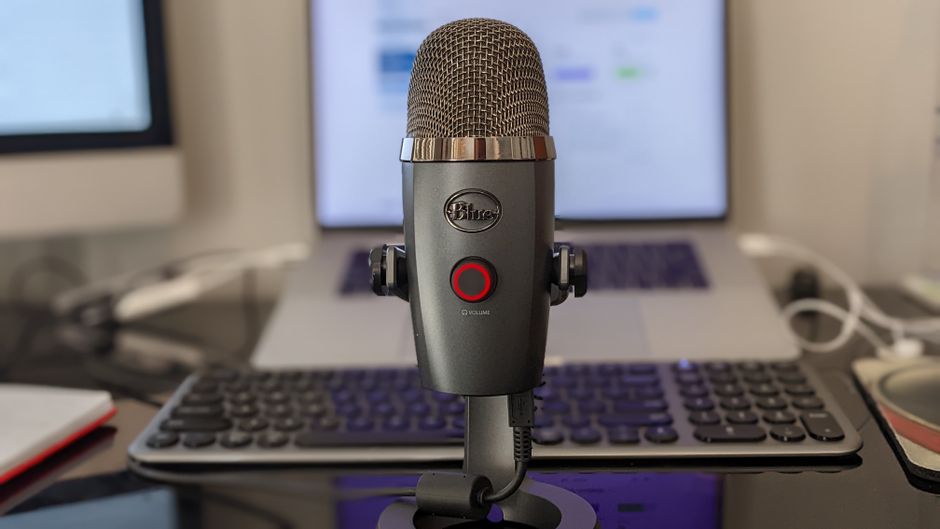
Software won’t rescue bad capture. A quiet room and a decent mic beat any cleanup filter; Studio Sound works better as a safety net than a rescue plan. If you’re starting from zero, the same Blue Yeti that shows up in every “first podcast mic” list is a completely reasonable starting point, and it pairs fine with whatever you pick here. On camera, lighting matters more than people expect; I pulled together budget ring light picks for exactly that problem.
Then there’s the audio itself. A podcast pairs surprisingly well with a newsletter, since episode notes and guest quotes double as newsletter material, with subscriber-only extras layered on. I mapped the newsletter route (platforms, pricing, the first-100-subscribers grind) in this guide. Distribution is where founder podcasts quietly earn their keep, more than gear upgrades do.
Key takeaways
- Riverside records every guest locally in separate tracks up to 4K, with paid plans from $24/month (annual) for Pro and unlimited recording hours.
- Descript turns editing into deleting text from a transcript, with seats from $16/month (annual) for Hobbyist, including Studio Sound and filler-word removal.
- Neither hosts your podcast; pair either one with a real host for the RSS feed.
- The meter matters more than the sticker price: Riverside caps separate-track downloads and grants AI credits once, while Descript meters media hours plus monthly credits that never roll over.
- Reviews back Descript’s core experience (G2 4.6, Capterra 4.8) with honest complaints about credit metering, while Riverside’s reputation rests on recording reliability over editing polish.
Common questions
- Can I use both together? Yes, and many shows do: record in Riverside, pull the separate tracks, edit in Descript. Just budget for both subscriptions and mind Riverside’s download-hour cap when you export raw files.
- Which is cheaper for a weekly 30-minute show? Descript Hobbyist, comfortably, at $16 a month annual, if your raw footage stays under 10 media hours a month. A weekly interview uses roughly 3.25 hours of metered media (about $3.69 an episode, per that per-episode breakdown), leaving real headroom. Riverside’s Pro plan costs more but gives you unlimited recording, which matters more for multi-guest shows.
- Will either replace my podcast host? No. Both handle recording and editing, not RSS distribution. Pair them with Transistor, Buzzsprout, RSS.com, or a similar host.
The bottom line
For a guest-driven, clip-hungry founder show, start with Riverside’s free two hours and a real dry run. If the show is mostly you talking clearly about something you know, try Descript’s free tier first: if editing text reads natural to you, $16 a month buys the fastest edit in the category.
If you’re building the business around the podcast rather than the other way around, the setup matters as much as the software. A program like The AI Blueprint walks through automating the marketing side so the mic time stays fun. And when you do subscribe to Riverside or Descript, buy annual and skip the webinar upsell until a launch actually needs it.
Transparency note: some links above are affiliate links, including the tool sites and featured products. If you subscribe through them, this site may earn a commission at no extra cost to you. Pricing and plan features were checked on October 3, 2026 though both pricing pages change often, so verify before you buy.